verdande
Self-hosted tasks and projects, shared with the people you share the work with. One binary with SQLite inside it — no database to provision, no second process.
Verdande is one of the three Norns: the one who spins that which is becoming. Not what has been, and not what is fated to be — the thing you are in the middle of. Which is what a to-do list is.
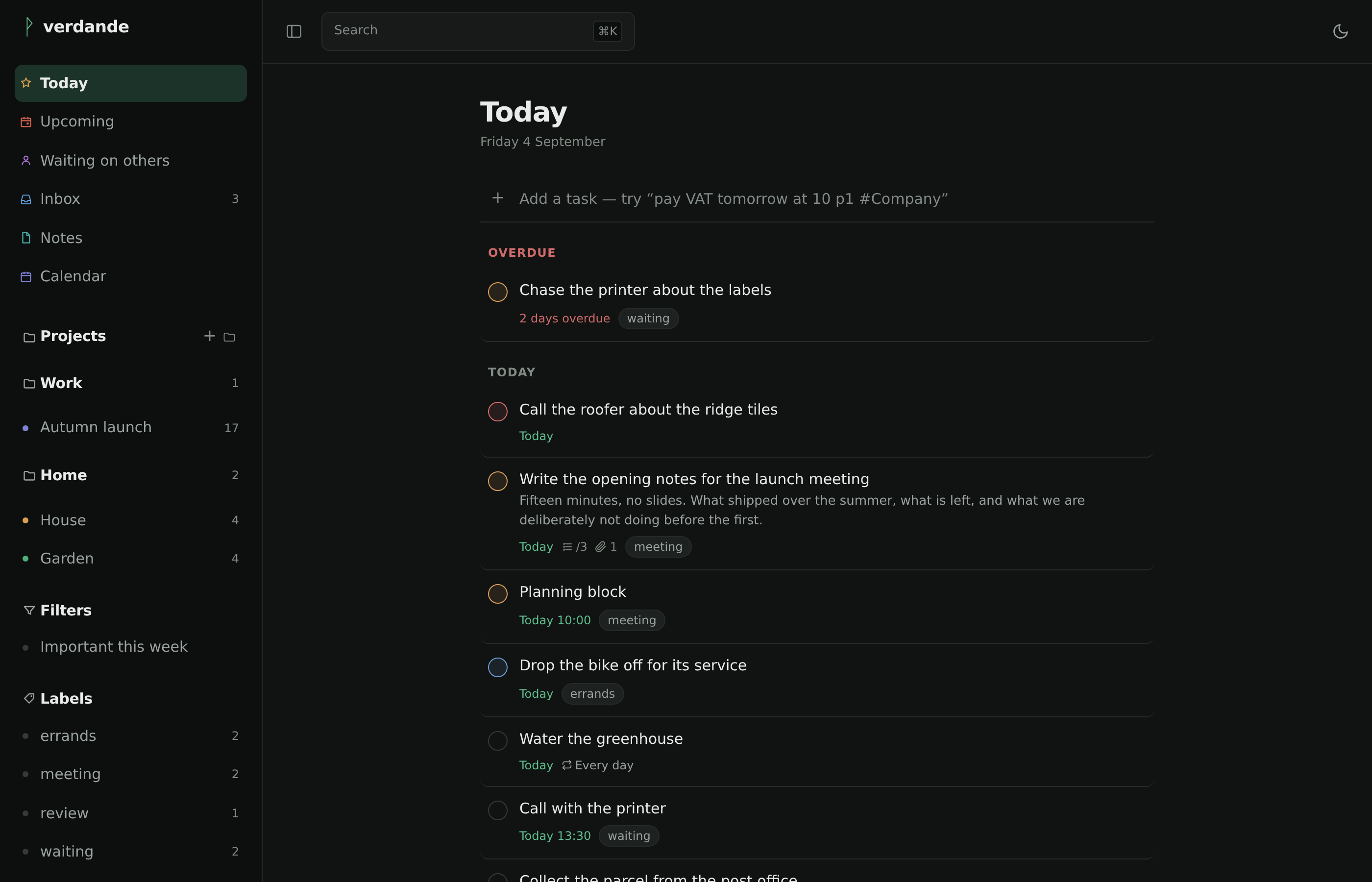
What it is for
A fast, self-hosted task manager — projects, quick add, filters, notes and shared lists — on your own hardware, with your own data. And with the integrations a hosted product will not build for you: a real CalDAV server, an address you can forward mail to, and an MCP endpoint so Claude can work your task list directly.
What it does
- Quick add that reads what you type.
file the VAT return
  tomorrow at 10am p1 #Accounts @tax
becomes a task due tomorrow at 10:00, priority 1, in Accounts, labelled tax. Danish and English, mixed freely in one line. - Projects, sections, sub-tasks, labels, saved filters. List, board and calendar views, and foldable groups over the projects in the sidebar. The calendar draws each task to its length — drag the foot to resize, the body to move it.
- Find it by searching for it. ⌘K searches tasks, notes and projects — and the
settings themselves, by what they do rather than only by what they are called,
so
webhookfinds Push from other programs and2fafinds Two-factor. The settings pages carry the same field at the top of their own list. - Notes, beside the work. Rich text to write in, Markdown on disk. Share a
single note with a person — by name, by email address, or by writing
@Sofiein the text — or file it in a project;#projectand[[another note]]are links, and a task shows what has been written about it. - Delegate, and snooze. Hand a task to somebody and it is marked with an arrow to them, gathered on a Waiting on others page. Snooze one to park it, greyed, at the foot of the list until a moment you pick — without touching when it is due.
- Drag where it means something — reorder a list or a board, file a project under a group, drop a task on another project, or drop it on another day.
- Sharing with owner, editor and viewer roles. Somebody who already has an account here you pick by name — the accounts on an instance are a closed, invited set, so they are an address book rather than a directory to protect. Anyone outside your instance joins through an invite link, and the invitation stays visible until they arrive, so it does not get sent twice.
- Live sync — a change made by somebody else appears without a refresh.
- Told when it matters. A bell for what other people did to what you share, pushed to your devices and counted on the app's icon in the Dock.
- AI that suggests and never writes. Optional, your own key. It tidies the inbox, pulls the tasks out of a meeting note, writes a morning plan, turns "SV: SV: Vedr. levering uge 12" into what the mail actually asks for, and answers questions about your own notes with links to what the answer rests on — every one of them as a line you accept, edit or refuse.
- Repeating tasks as RRULE, comments and attachments, and reminders that go out as Web Push to an iPhone or a Mac.
- Anything can put a task in your inbox — a mail to your own address, or a POST from a shortcut on your phone, a script, or any service that can call a URL.
- Your mail as an inbox. Star a mail in Gmail, or flag one over IMAP in iCloud or Fastmail, and it becomes a task — and the star or flag comes off once it has, so a starred inbox empties as the tasks are made instead of only filling up.
- Calendar and Claude connected over open standards rather than private formats.
- Six themes, three dark and three light — including Charcoal, a warm near-black after Apple Notes — and a size and typeface chosen apart from them.
- Holds through a short network drop. A save rides out a few seconds of no signal and goes through when it comes back; a reload opens from what it last saw rather than the browser's offline page. It installs as a PWA.
What it looks like
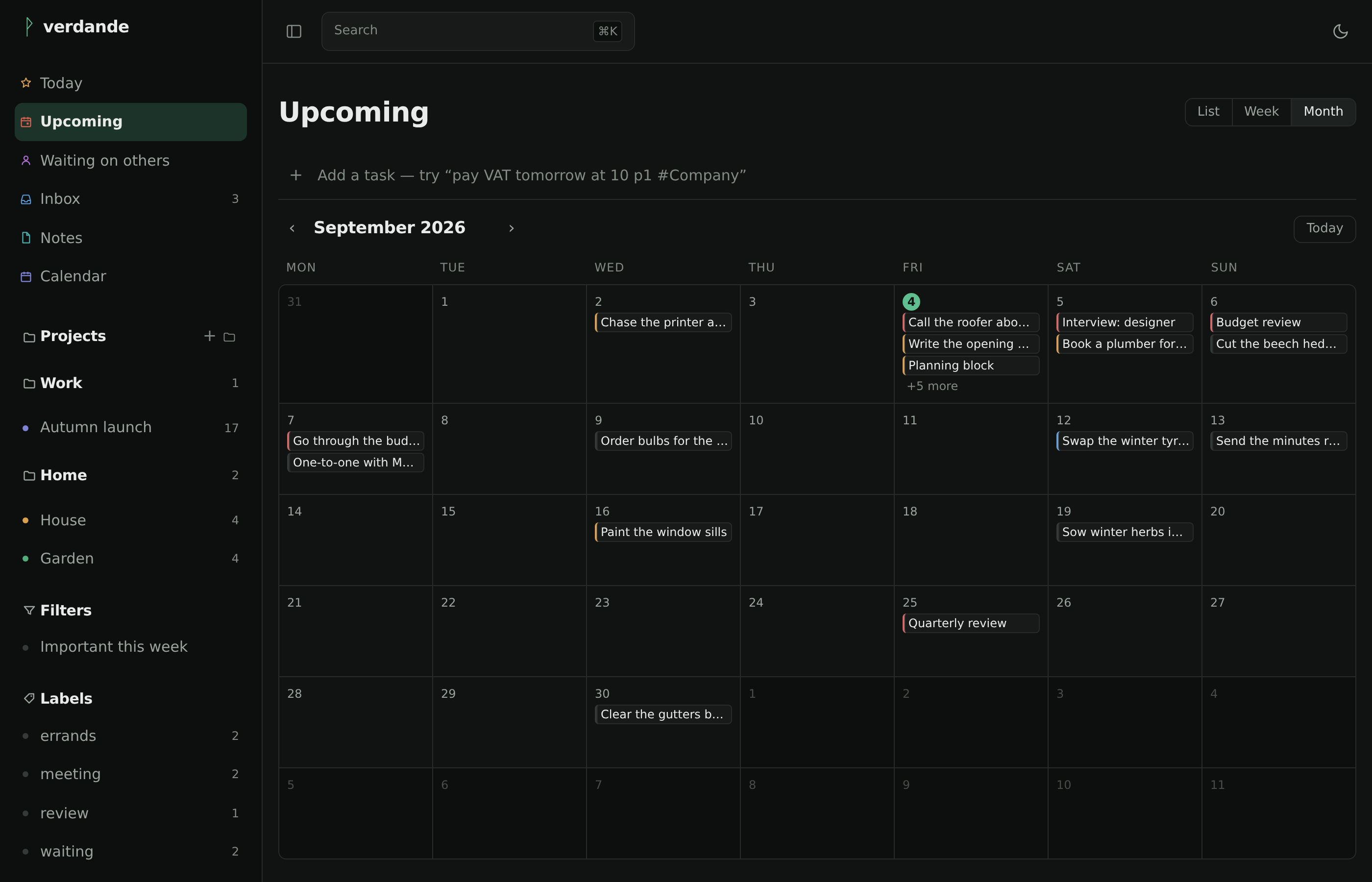
Upcoming, as a month. A week and a plain list are the other two, and a task can be dragged from one day onto another.
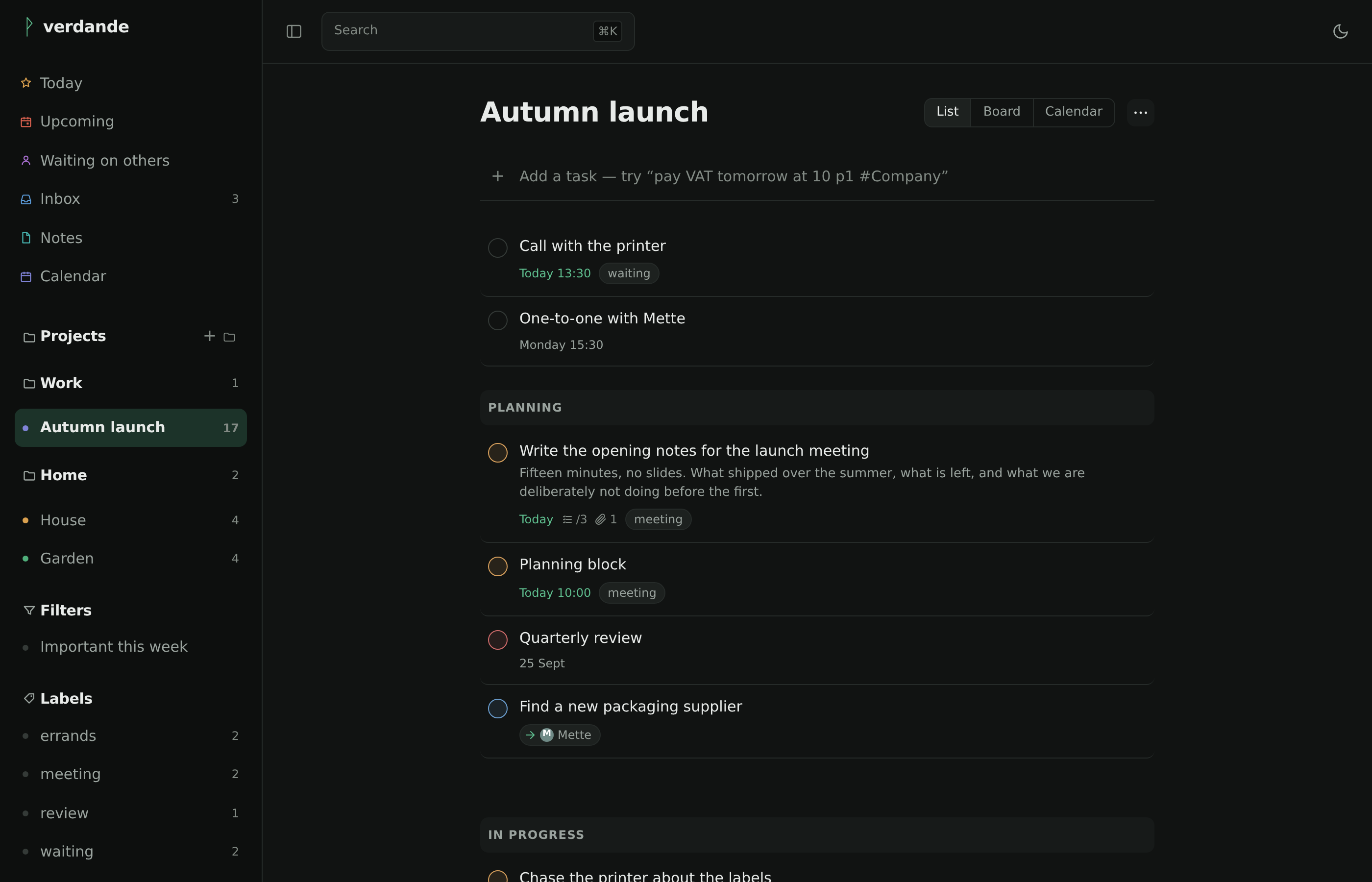
The same project as a list, where sections read as bands. As a board they are columns.
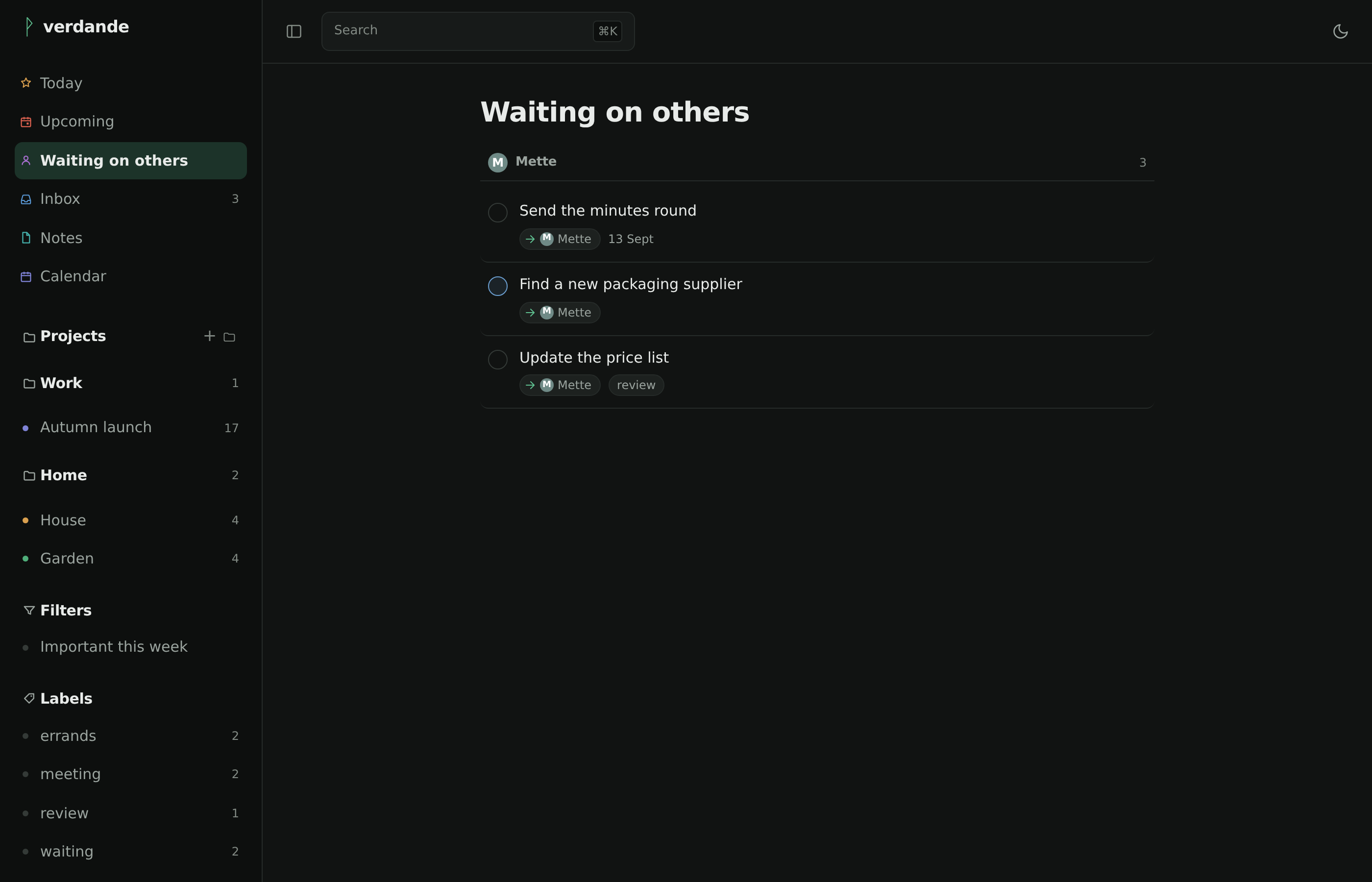
What you have handed to somebody else, grouped by whoever has it — and each row marked with an arrow to them, so a delegated task reads as delegated wherever you meet it.
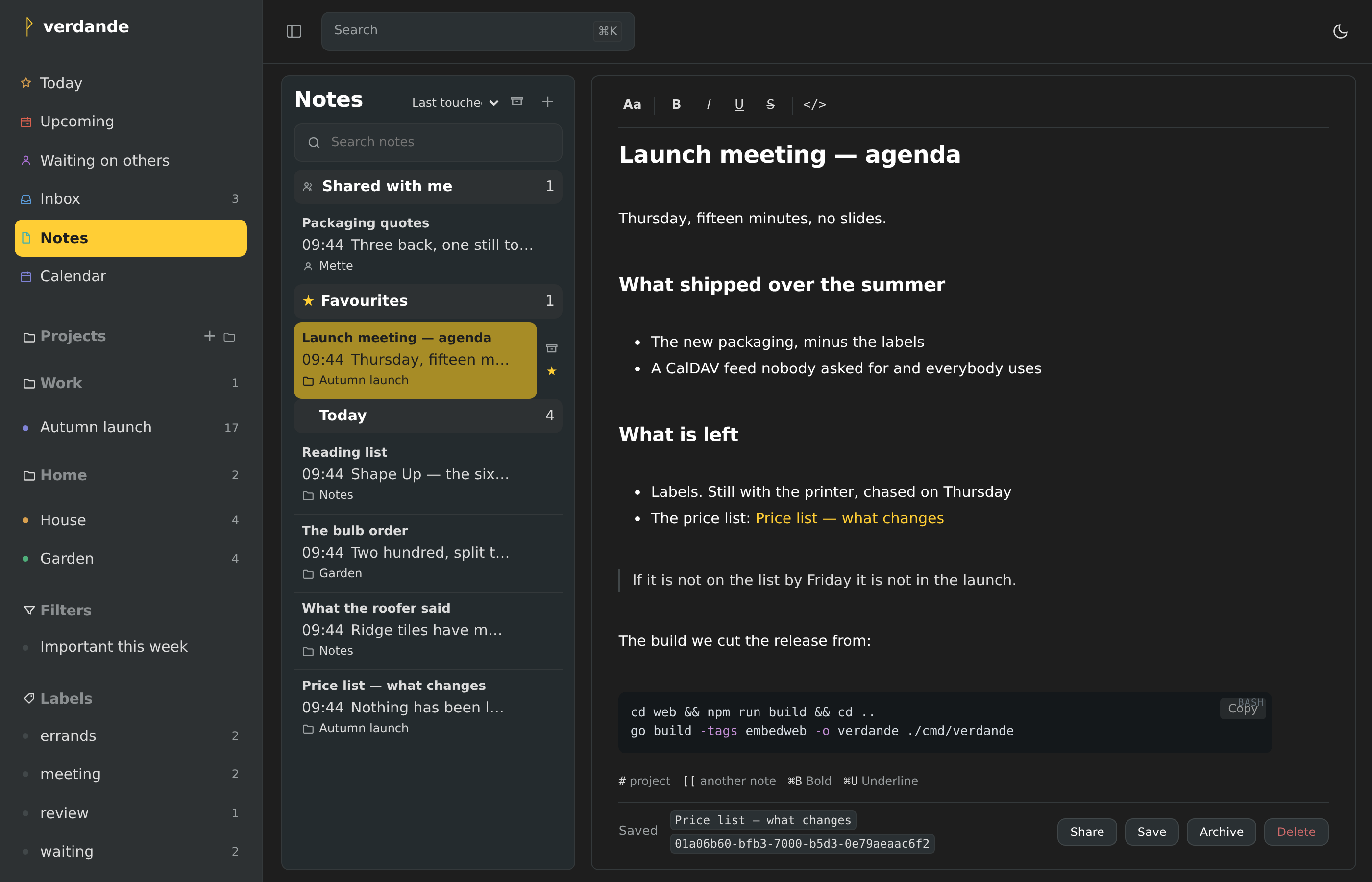
Charcoal, the newest of six themes — a warm near-black after Apple Notes, with amber where the accent green usually is.
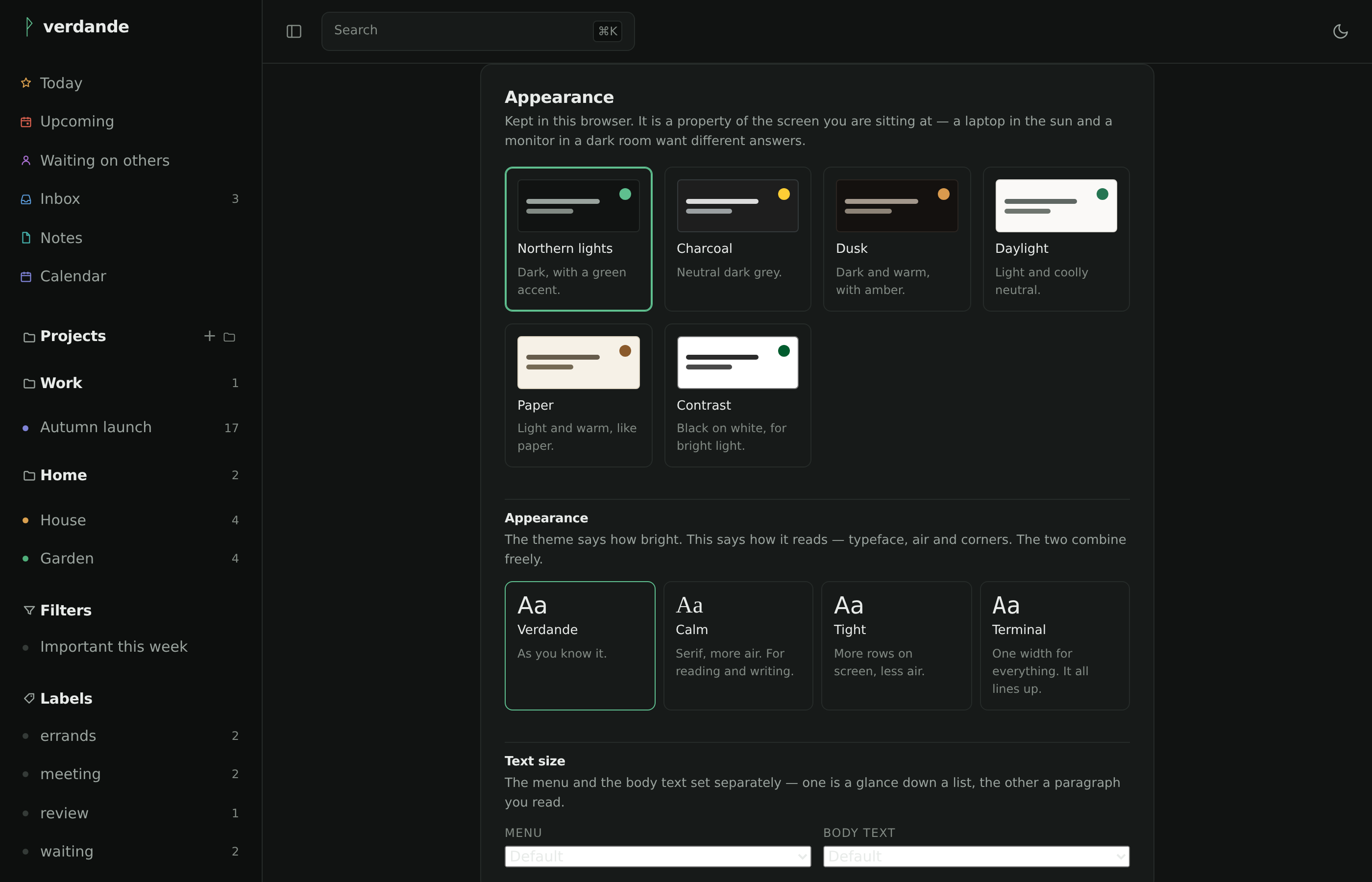
Six themes — three dark, three light — chosen on the settings page, with the typeface and how tightly it sits set apart from them.
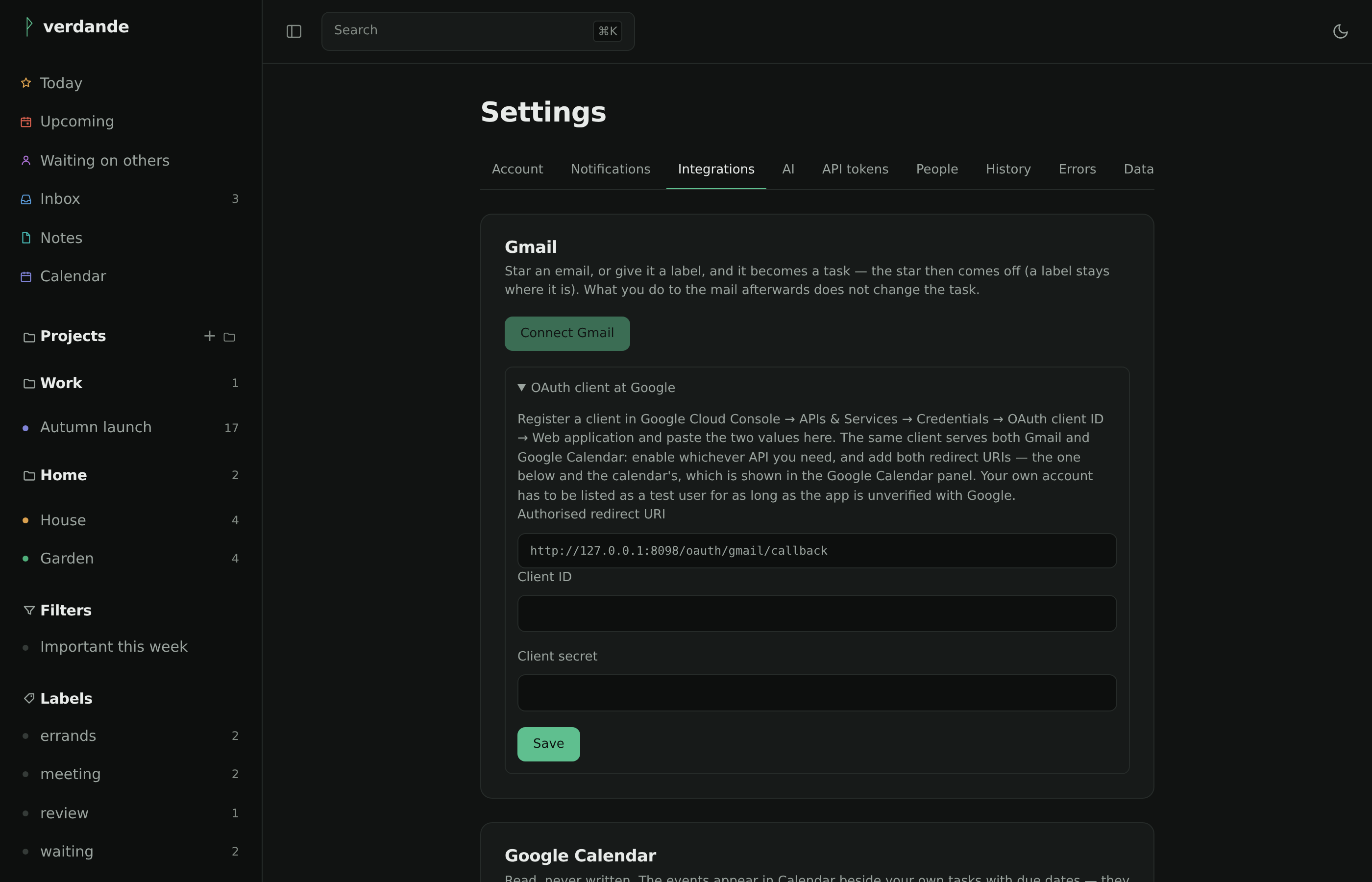
Where Gmail, the calendar feed and the mail-to-task address are connected.
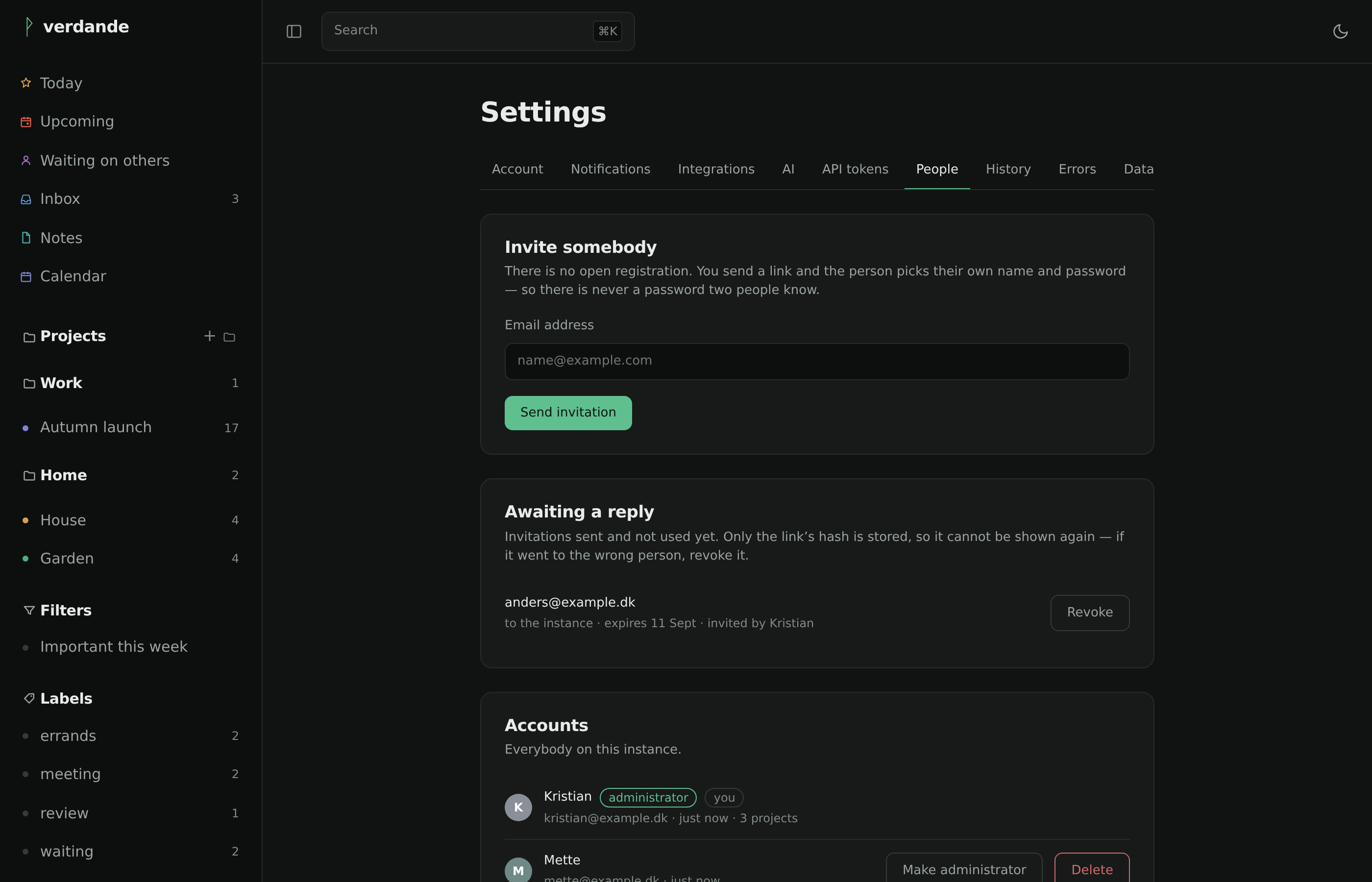
Inviting somebody to the instance. There is no open registration — everybody arrives through a link, and picks their own password. See signing in.
Getting it running
verdande is built to be deployed as a Rune in Yggdrasil Panel — that is its home, and the manifest ships with it. It runs anywhere Docker does as well.
docker run -d --name verdande \
  -p 8080:8080 \
  -v verdande-data:/data \
  -e VERDANDE_BASE_URL=https://todo.example.dk \
  ghcr.io/kristianwind/verdande:latest
Open the address, create the first account — that account is the administrator.
Running Yggdrasil Panel? Install it as a Rune instead.
What it will not do
No karma or points. No team workspaces. No native apps. No mail integration beyond Gmail and the forwarding address. No languages beyond Danish and English. And no sync protocol of its own — CalDAV and the API are the sync.